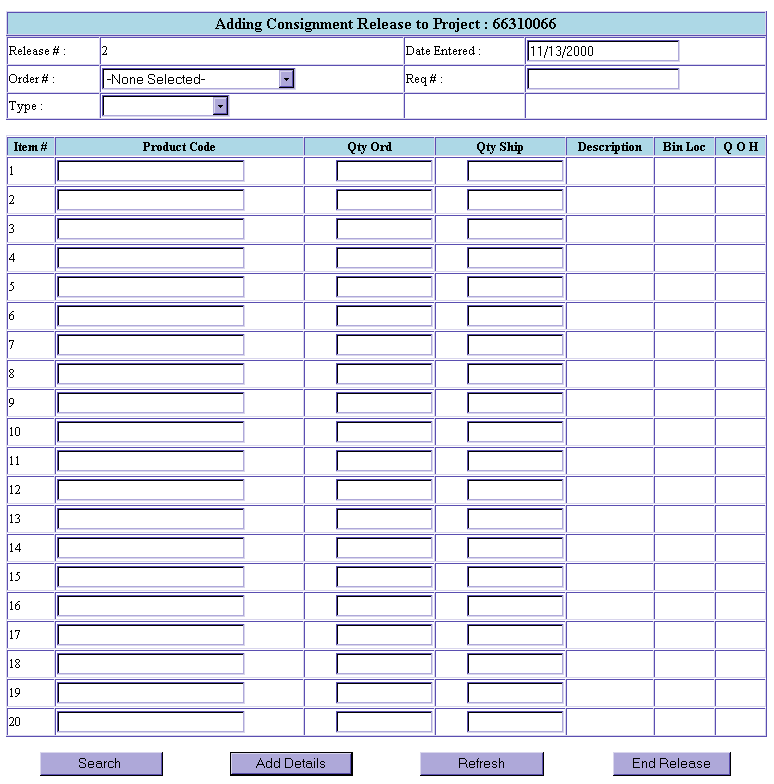
At the menu, click on Consignment. At the next screen click on Consignment Releases. The Adding Consignment Release screen is displayed. Choose the Order Number from the drop down box, enter in Req #, then enter in Type of Release from the Type drop down box. Once this is complete scroll down to end of page. You may choose one of the following choices: Search, Add Details, Refresh, and End Release.