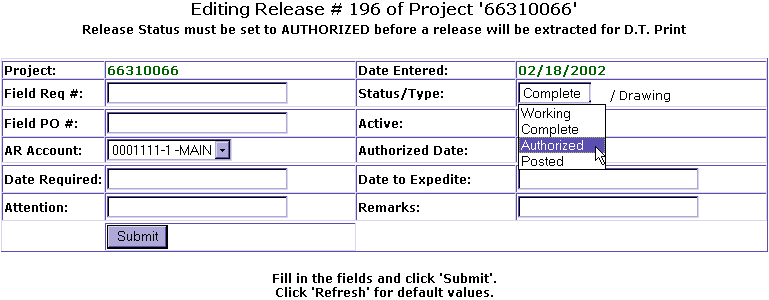
Once you have printed and reviewed you Material Release , change the status of the Release Header from Complete to Authorized.
At the main menu, select Releasing. At Releasing, select List Release Headers. The list of Release Headers Screen with all Release Headers listed sequentially, in reverse numerical order, by Release Number. Click Edit in functions column for Release Header you would like to Edit. The Edit Release Header Screen will appear. From the Status drop down box click on Authorize. At this time, all other fields will remain unchanged, click Submit.
You will then return to the List Release Header Screen. The status will appear as Complete, click on Refresh on toolbar to see Status as Authorize. The Drawing Release is now finish.