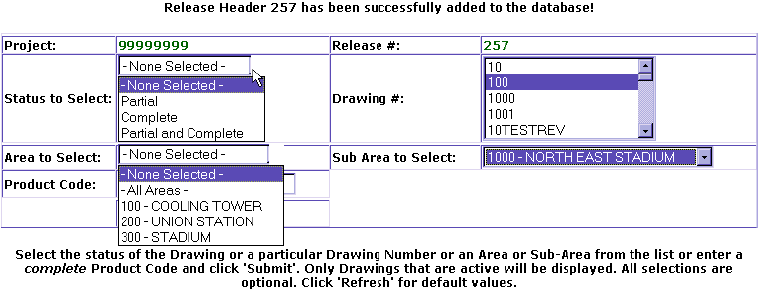
Next screen select the Status of Drawing (s). Then at Drawing #, you can select mulitple Drawings. To select one drawing, click on Drawing number, (select more than one hold ctrl key down and click on Drawings). You can also release material off Drawings by Area, and Sub Area if estimated Drawing MTO is loaded. Product Code field is used to release material on drawings for that Product Code. Once your choices are made than click Submit.
Or you can choose not to select any fields and click on Submit to see all Drawings.
PREVIOUS