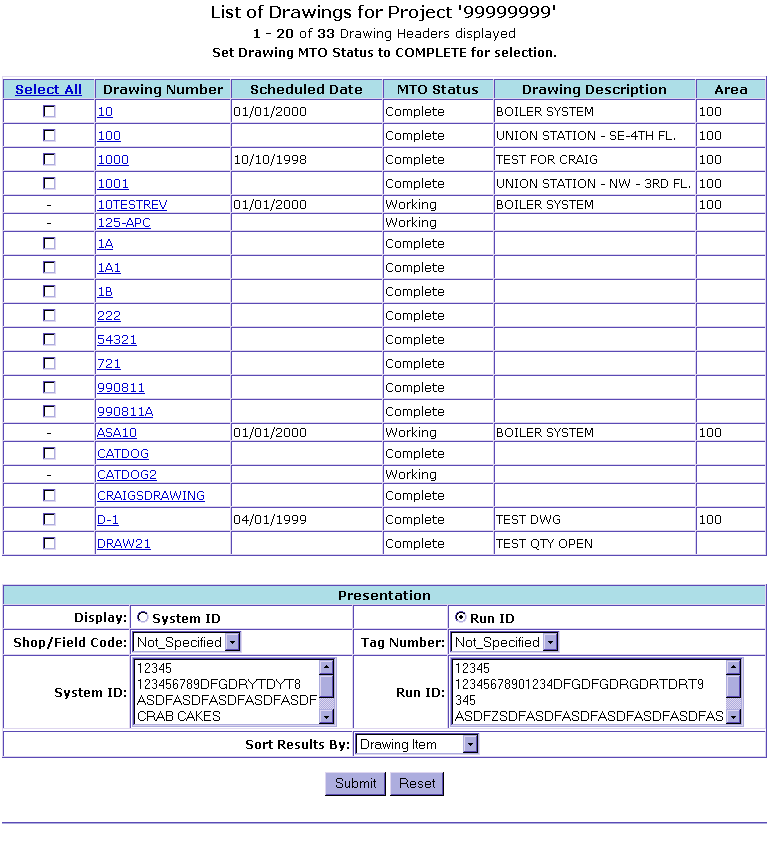
This screen is based on the information from the previous screen.
Select the Drawing to Release material from by clicking on the check box to the left of Drawing Number. If you click on the Drawing Number this will show all items that have been loaded for that Drawing.
Then scroll down to bottom of page to select Presentation, which will allow you to narrow your search down in that drawing. Once Drawing to Selected and Presentation is done click Submit.